Before rendering the main image, the render pass will render all needed shadow maps. This panel controls whether to render shadow maps or not and list details about what shaders to use in a shadow render.
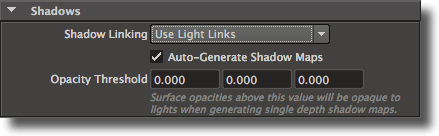
Figure 3.50: The Shadow Maps panel
‘Render Shadow Maps’
This attribute controls wether the shadow maps will be rendered or not. Its default value is on.
‘Use Displacement Shaders in Shadows’
This attribute controls if the displacement shaders are used in the shadow maps ren- dering. By default this toggle is on. Note that turning this toggle off might speed up shadow map rendering but produce incorrect shadows depending on how much the geometry is displaced.
‘Use Surface Shaders in Shadows’
This attribute controls if the surface shaders are used in the shadow maps rendering. By default this toggle is off. It is recommended to turn on this attribute only if some surface shaders are displacing the geometry or modifying the opacity.
‘Use Atmosphere Shaders In Shadows’
This attribute controls if the atmosphere shaders are used in the shadow maps ren- dering, and it is off by default. It is recommended to turn this option on only if deep shadow maps are rendered.
‘Use Interior Shaders In Shadows’
This attribute controls if the atmosphere shaders are used in the shadow maps ren- dering, and it is off by default. It is recommended to turn this option on only if deep shadow maps are rendered.
‘Z Threshold’
Only objects with opacities greater than or equal to the ‘Z Threshold’ will appear in shadow maps. The default value is [1.0, 1.0, 1.0] which means that only completely opaque objects are rendered into shadow maps. If this value is set to [0.0, 0.0, 0.0] all
...