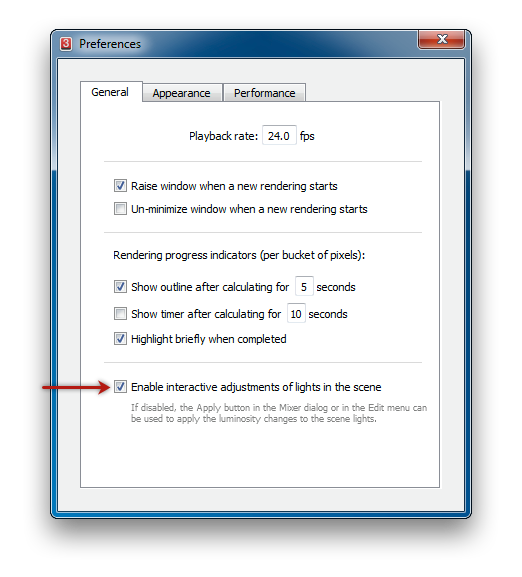
Back in 3Delight Display, open the preferences by choosing File → Preferences...
Image Added
In the Preferenceswindow, pick the General tab. Make sure the Enable interactive adjustments of lights in the sceneis enabled.
Close the Preferencesdialog.
Column
width
22
Section
Column
width
22
Column
width
56
Panel
borderColor
#e0e0e0
bgColor
#f0f0f0
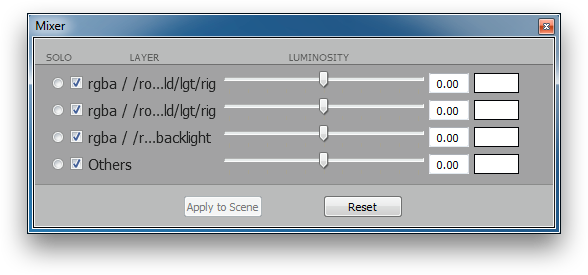
Bring up the Mixerby choosing Edit → Mixer...
Image Added
The Mixerdisplays a list of lights that matches the selected entries in the Multi-LIghtlist of the rendering attributes.
Clicking on the solo gadget of a given light or rig will change the rendered image to show only that light's contribution to the rendering. At most one Mixeritem can set as solo.
Clicking the check box gadget will toggle that light or light rig contribution to the rendered image on or off.
The Luminosity slider acts as an exposure on the light or light rig contribution to the rendered image.
The colour picker acts as a multiplier to the light source or light rig colour.