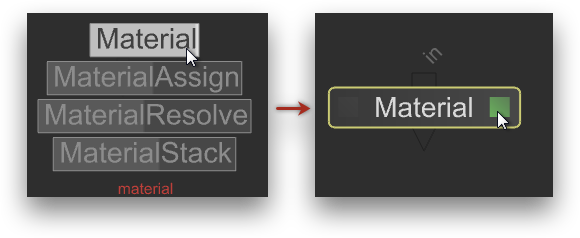
Click the faint gray square to the right of the new node's label (or press E) to edit its parameters in the Parameters panel.
Panel
borderColor
#e0e0e0
bgColor
#f0f0f0
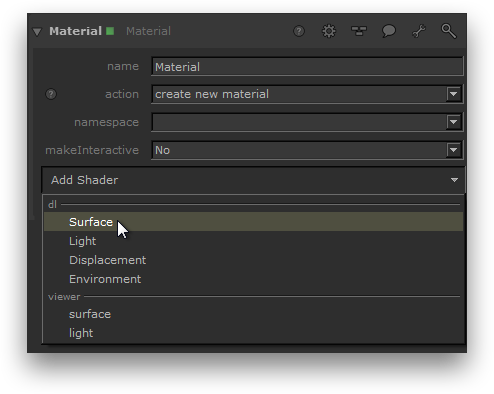
Add a 3Delight shader to the material node.
In the Parameters panel, click Add Shader and select the type of shader you want to create under dl. In this example, a surface shader is created.
Panel
borderColor
#e0e0e0
bgColor
#f0f0f0
Select a 3Delight shader.
Click the down arrow to the right of the dlSurfaceShader label to display a list of available surface shaders. Select the desired shader from the list.
Panel
borderColor
#e0e0e0
bgColor
#f0f0f0
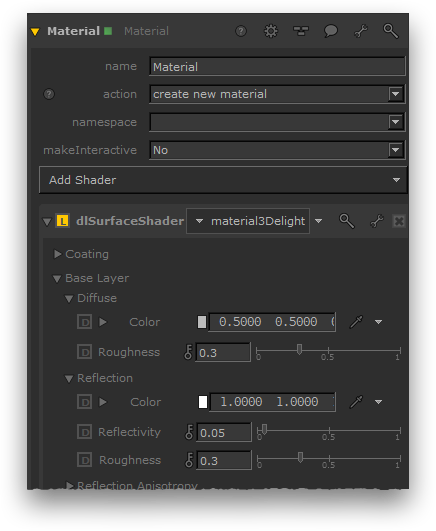
The shader parameters are now accessible.
Unfold the parameters by clicking the arrow to the left of the dlSurfaceShader label to reveal the shader parameters.