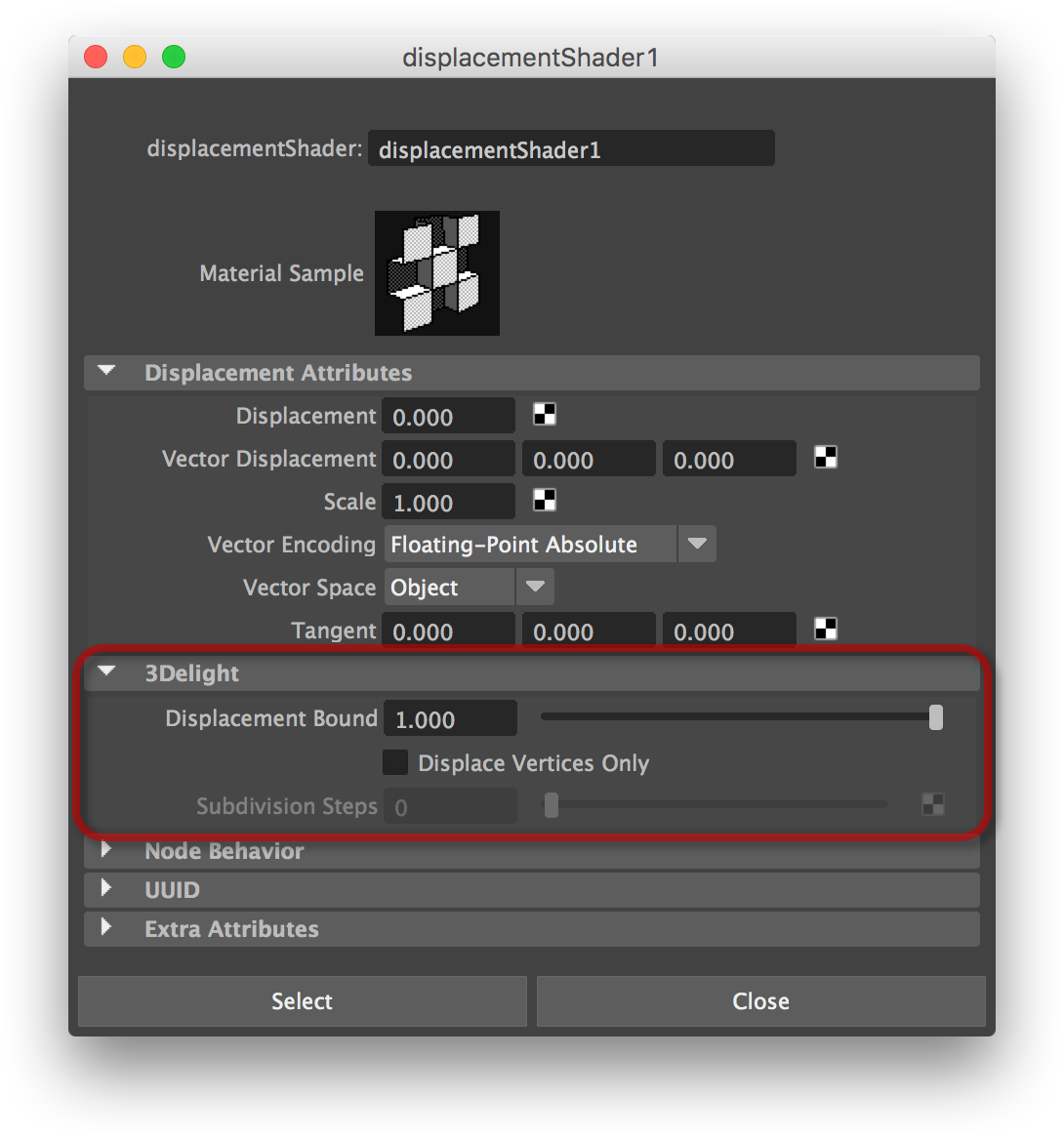
3Delight for Maya adds a few attributes in Maya's Displacement Shader nodes. The Rendering Displacements tutorial page provides in-depth explanation about these features (and more), along with illustration of their usage; a highly recommended read.
Displacement Bound
Specifies the displacement bound for the attached objects, which is the amount by which the bounding box of each object should be increased to include the displaced surfaces. Failure to provide the renderer with a decent value will result in shading artifacts (when the value is too small) or inefficiency (when the value is too large). Refer to this section for details about when you should bother to adjust this value, and how to figure that value. The default value is ‘1.0’.
Displace Vertices Only
When this attribute is turned off, a pixel level displacement is performed; the geometry is tessellated on-the-fly and adaptively. Turning on this attribute will make a vertex level displacement occur; in this case the geometry is pre-tessellated to the amount of subdivision specified in Subdivision Steps.
Subdivision Steps
This specifies the number of subdivision steps to use when pre-tessellating the geometry. This attribute is ignored unless Displace Vertices Only is enabled. Raising the number of steps will increase the start-up time, raise the quality, and possibly increase the memory usage during rendering.