→ Mode
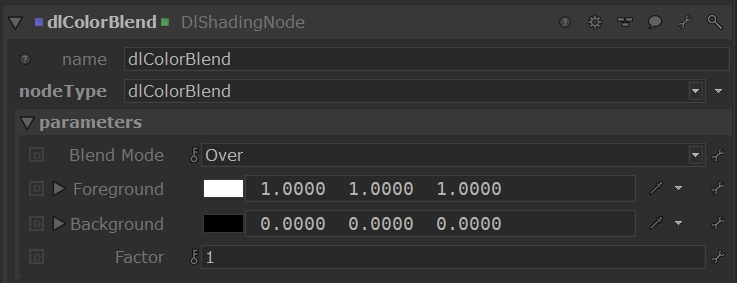
Specifies the mode to use to blend the two layers together.
| Mode | |
|---|---|
| Over | Result = Foreground Background is ignored in this blend mode. |
| Multiply | Result = Background * Foreground Multiply blend mode multiplies the numbers for each pixel of the top layer with the corresponding pixel for the bottom layer. The result is a darker picture. This mode is symmetric: exchanging two layers does not change the result. |
| Screen | Result = 1 - ( (1-Foreground) * (1-Background) ) With Screen blend mode the values of the pixels in the two layers are inverted, multiplied, and then inverted again. This yields the opposite effect to multiply. The result is a brighter picture. This mode is symmetric: exchanging two layers does not change the result. |
| Darken | Result = least bright of Background and Foreground |
| Lighten | Result = brightest of Background and Foreground |
| Color Burn | Result = 1 - ( 1 - Background ) / Foreground) |
| Color Dodge | Result = Background / ( 1 - Foreground ) |
| Divide | Result = Background / Foreground |
| Saturation | Result = Saturation of Foreground applied to Background colour |
| Luminosity | Result = Luminosity of Foreground applied to Background colour |
| Hue | Result = Hue of Foreground applied to Background colour |
| Difference | Result = Absolute( Background - Foreground ) |
| Substract | Result = Background - Foreground |
| Add | Result = Background + Foreground |
| AddSub | Result = Add if luminance of Background is greater than 0.5, Substract otherwise. |
→ Factor
This parameter allows to modulate how much of the blend effect is needed. At 0, only the foreground is visible. At 1, the full blending effect is visible.
→ Foreground
The foreground layer to use in blending calculations.
→ Background
The foreground layer to use in blending calculations.